Photo To Sketch
Turn a photo to sketch art online in one click — pencil, charcoal, ink or watercolor looks with crisp detail, no sign-up and no watermark.
Feedback

freeTrialImage.bannerPity
freeTrialImage.upgradeUnlock
- ✓freeTrialImage.benefitHd
- ✓freeTrialImage.benefitWatermark
- ✓freeTrialImage.benefitUnlimited
AI Tools
Explore AI tools
MiniMax H3
MiniMax H3 AI Video Generator
Seedance 2.5
The Future of AI Video Is Here.

Seedance 2.0
The Future of AI Video Is Here.

Seedance 2.0
The Future of AI Video Is Here.

Gemini Omni
Gemini Omni Video Generator
Image to Video
Generate videos from images

Gemini Omni 1.2 Flash

AI Multi-Scene Shorts Generator
Create viral AI Shorts instantly
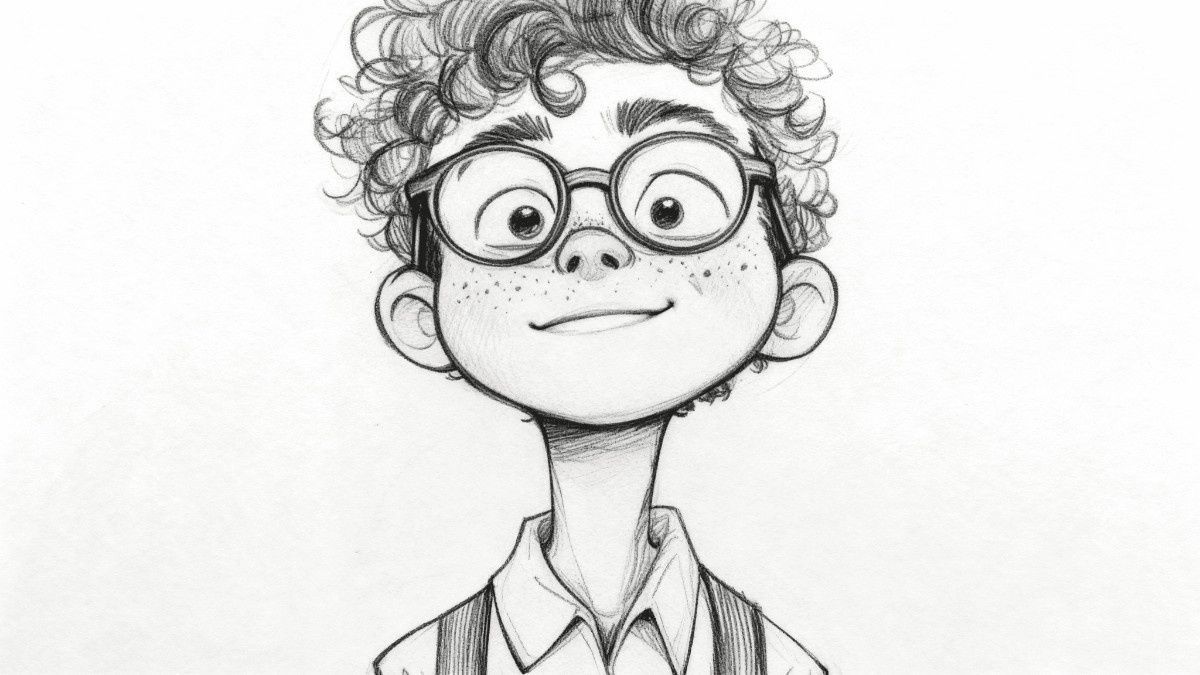
Inside Our Photo to Sketch Studio
Our photo to sketch converter redraws your pictures as pencil, charcoal, ink or watercolor art, handing artists, sellers and gift-makers print-ready files in seconds.
- Four Art StylesPencil, charcoal, ink and watercolor looks.
- Ready in SecondsEach drawing renders in a few moments.
- Crisp ResolutionFine lines stay sharp on screen and in print.
How to Turn a Photo Into a Sketch
Upload an image, pick the drawing style you like, then let the AI render it — save your finished sketch with a single click.
Photo to Sketch Features That Stand Out
From four hand-drawn styles to batch rendering and detail-preserving output, here is what sets this photo to sketch tool apart.
Pencil Drawing
Soft graphite lines with natural shading.
Charcoal Look
Deep, dramatic strokes with rich contrast.
Ink Outline
Clean black line art for bold graphics.
Watercolor Wash
Gentle colour blends with a painted feel.
Batch Rendering
Queue a whole folder and export together.
Detail Retention
Edges, faces and textures stay sharp.
Photo to Sketch Questions, Answered
Quick answers on drawing styles, speed, batch rendering, file quality and cost for our photo to sketch converter.
What does this photo to sketch tool do?
It redraws any picture you upload as a hand-drawn style illustration, powered by AI image models.
Which drawing styles can I pick?
Pencil, charcoal, ink and watercolor, plus a few blended presets.
Can I convert several photos at once?
Yes — batch rendering lets you queue multiple images in a single run.
Will the output be sharp enough to print?
Outputs keep fine lines and texture at high resolution, so they hold up in print and on screen.
Do I need an account or credits?
Free models work without signing up; paid models unlock higher resolution and remove the watermark.
How long does one conversion take?
Most images finish within seconds, while larger files may take a minute or two.
Start Your Photo to Sketch Conversion Now
Pick a style, upload your picture and watch it become a drawing. High-resolution downloads are free — no account needed.