
AI Watermark Remover
Use our AI Watermark Remover to erase unwanted logos and overlays. Smart inpainting rebuilds the background for natural, high-quality downloads.
Feedback
AI Tools
Explore AI tools
MiniMax H3
MiniMax H3 AI Video Generator
Seedance 2.5
The Future of AI Video Is Here.

Seedance 2.0
The Future of AI Video Is Here.

Veo3.1
Create Stunning Videos with Veo3.1
FLUX 3 Video Generator

Kling 3.0
Next-Gen AI Video Generator
Grok Video Generator
Create Videos from Text or Images with AI
MiniMax H3 video generator
MiniMax H3 AI Video Generator

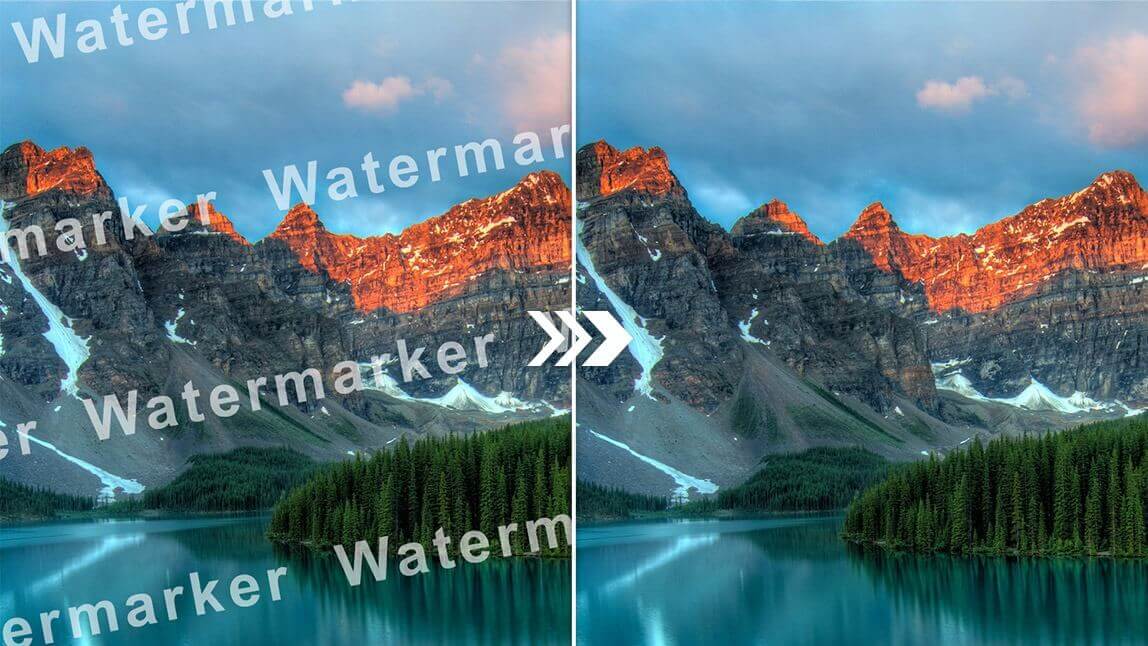
Meet the AI Watermark Remover Built for Clean Photos
Our tool identifies unwanted marks, fills in the missing pixels, and preserves texture so the final photo looks natural from edge to edge.
- Process Many Photos at OnceQueue several images and clean them together to save time.
- Smart Mark RecognitionThe system spots logos, text, and overlays without manual tracing.
- Texture-Aware RestorationMissing areas are filled with matching detail for a smooth, believable finish.
How the AI Watermark Remover Works in 3 Steps
Upload your image, let the AI Watermark Remover identify the mark, and download a clean high-resolution file.
Powerful Tools Inside the AI Watermark Remover
From batch uploads to texture-aware repair, this AI Watermark Remover handles stock photos, social posts, product shots, and more.
Multi-Image Workflow
Clean several photos in one session instead of one by one.
Automatic Mark Finder
The AI Watermark Remover locates logos and text without manual selection.
Full-Frame Cleanup
Works on large overlays and marks spread across the image.
Fast Turnaround
Most images are processed in seconds, ready to download.
True-to-Life Repair
Keeps color, grain, and texture consistent after removal.
Original-Quality Output
Download clean images at the same high resolution you uploaded.
AI Watermark Remover: Common Questions
Find answers about removing logos, captions, and stamps, plus speed, quality, and free access.
What does the AI Watermark Remover do?
It finds unwanted logos, text, or stamps in a photo and rebuilds the area behind them for a clean result.
Can I clean several images at once?
Yes. The AI Watermark Remover supports batch uploads, so large projects take less time.
How quickly are watermarks removed?
Most jobs finish in seconds. Upload, let the AI Watermark Remover process the image, then download.
Will removal change my image quality?
No. The AI Watermark Remover keeps the original resolution, color, and texture intact.
Is the AI Watermark Remover free to use?
You can remove basic watermarks at no cost. Advanced options are available for heavier workloads.
Which watermark types are supported?
It works on stock-photo marks, social media logos, e-commerce labels, document stamps, and similar overlays.
Clean Up Your Photos with AI Watermark Remover
Turn messy watermarked shots into polished visuals. Our AI Watermark Remover restores the scene, and you download a sharp, high-resolution file—free to try.